YoolLive

For shippers and dispatchers

Stop calling the driver.

The driver installs the app and you see the whole trip: where the truck is, where it stopped, when it arrives. No trackers, no installation.

Sign in with Telegram or email
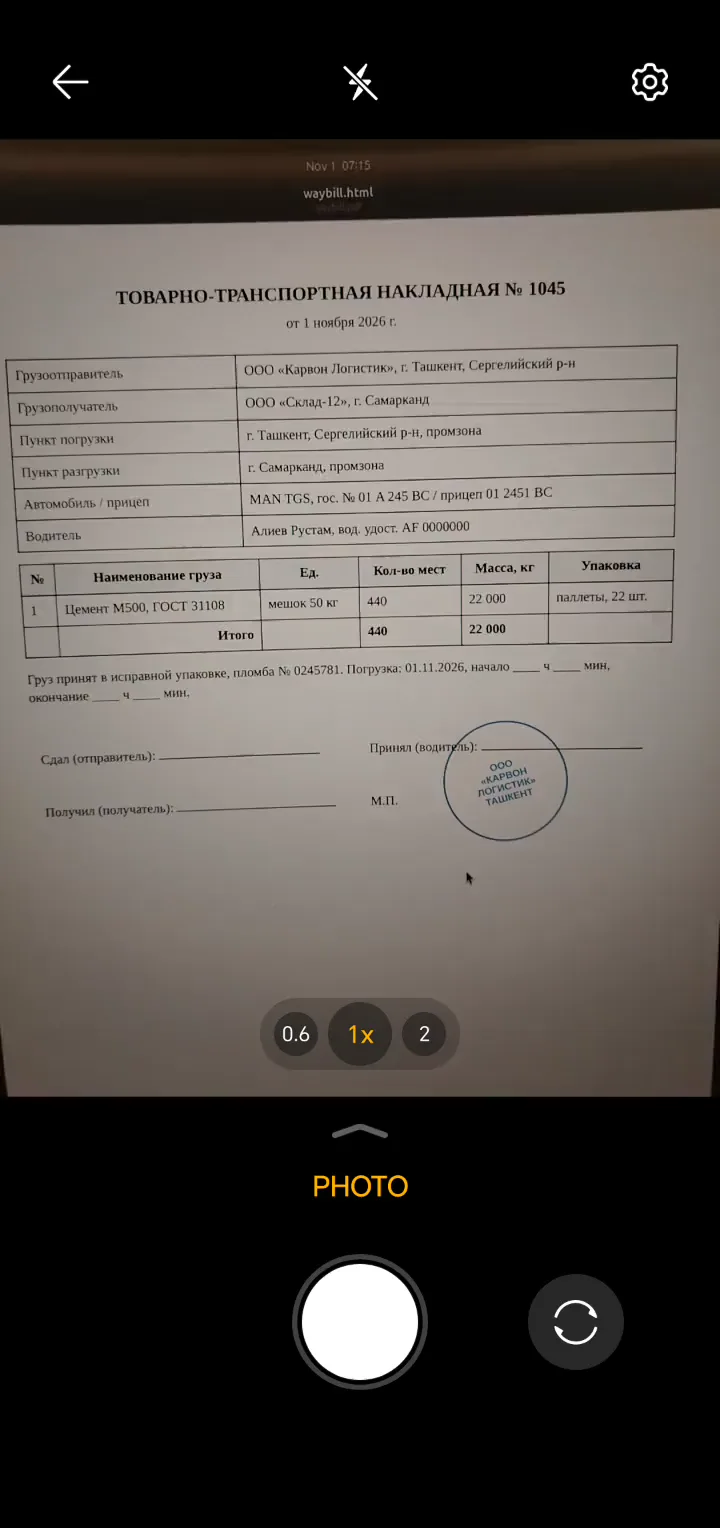
Dashboard: the driver marks the cargo as loaded — the status and the waybill photo appear on their own, then the load sets off
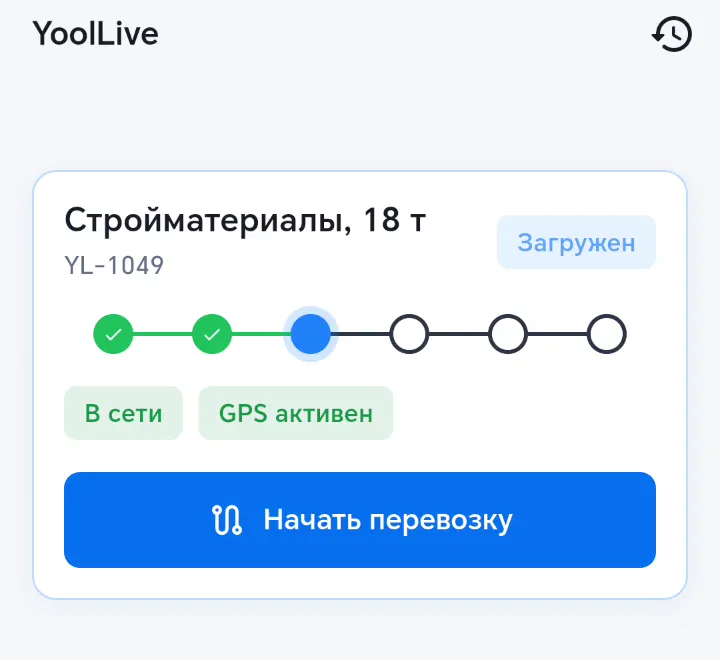
Driver app: waybill photo, “Cargo loaded”, “Start transit”

How it works

Up and running in three minutes

Nothing to install on the truck. The driver’s smartphone is enough.

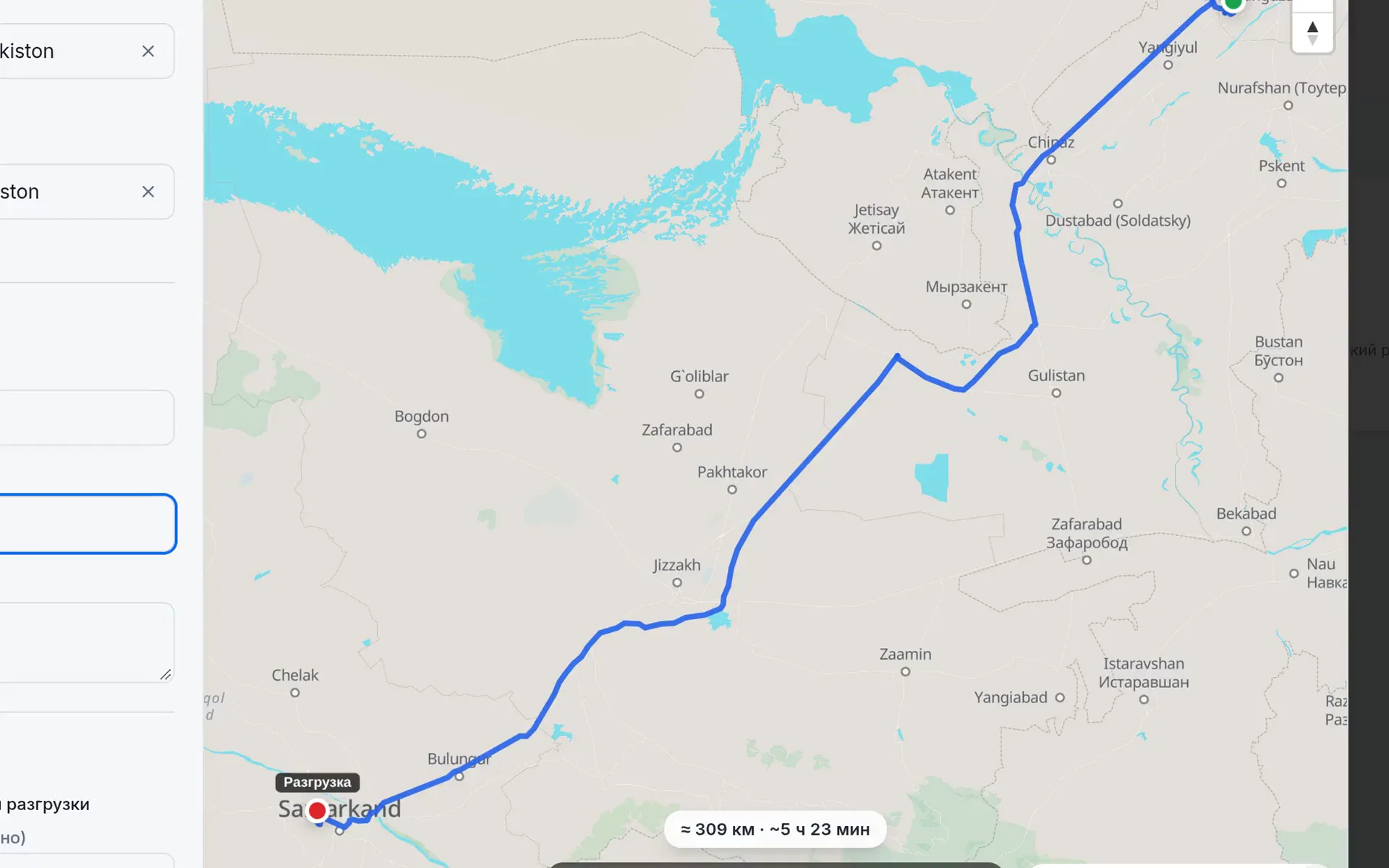
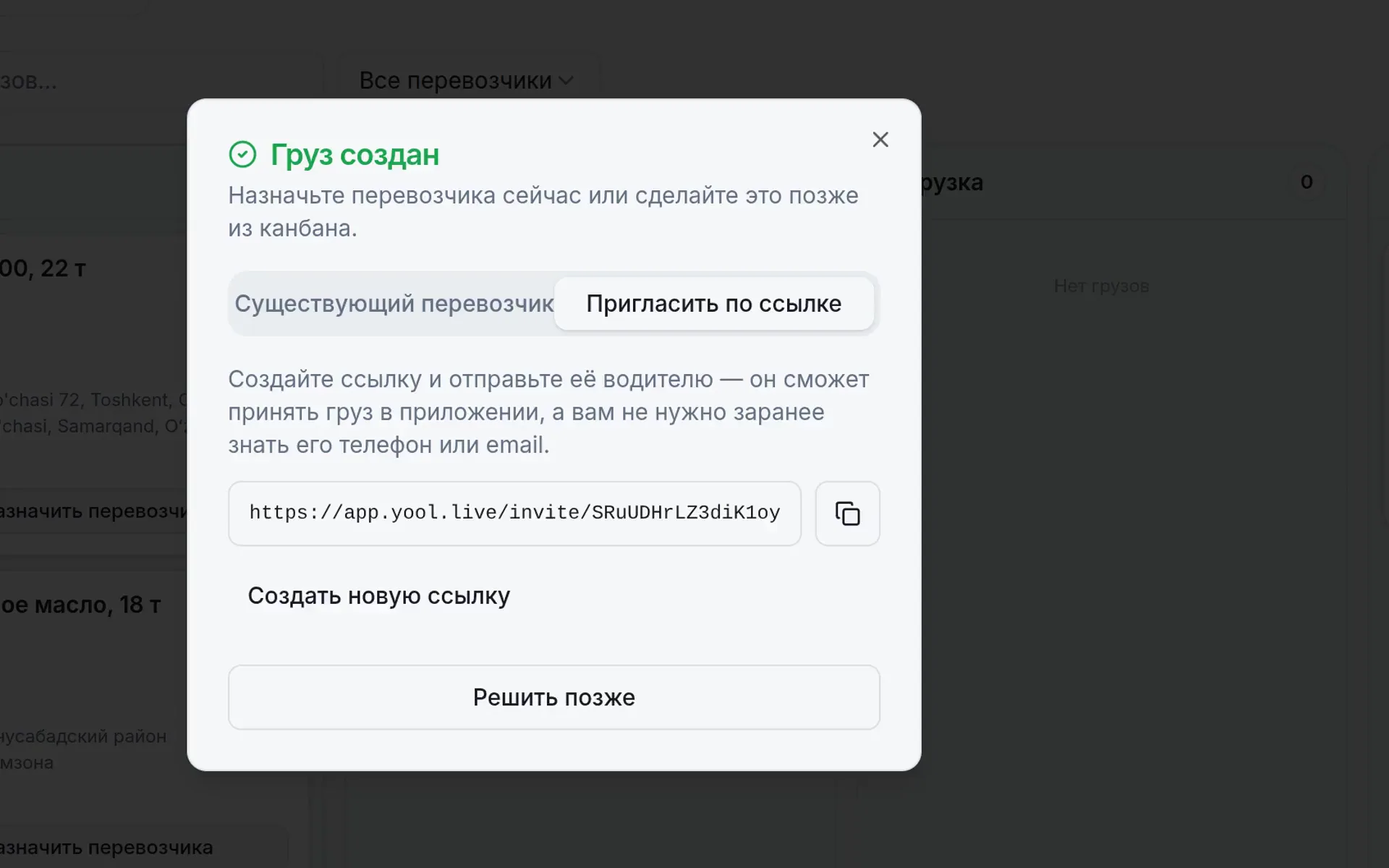
The “Create new load” form: addresses from 2GIS links and the route on the map
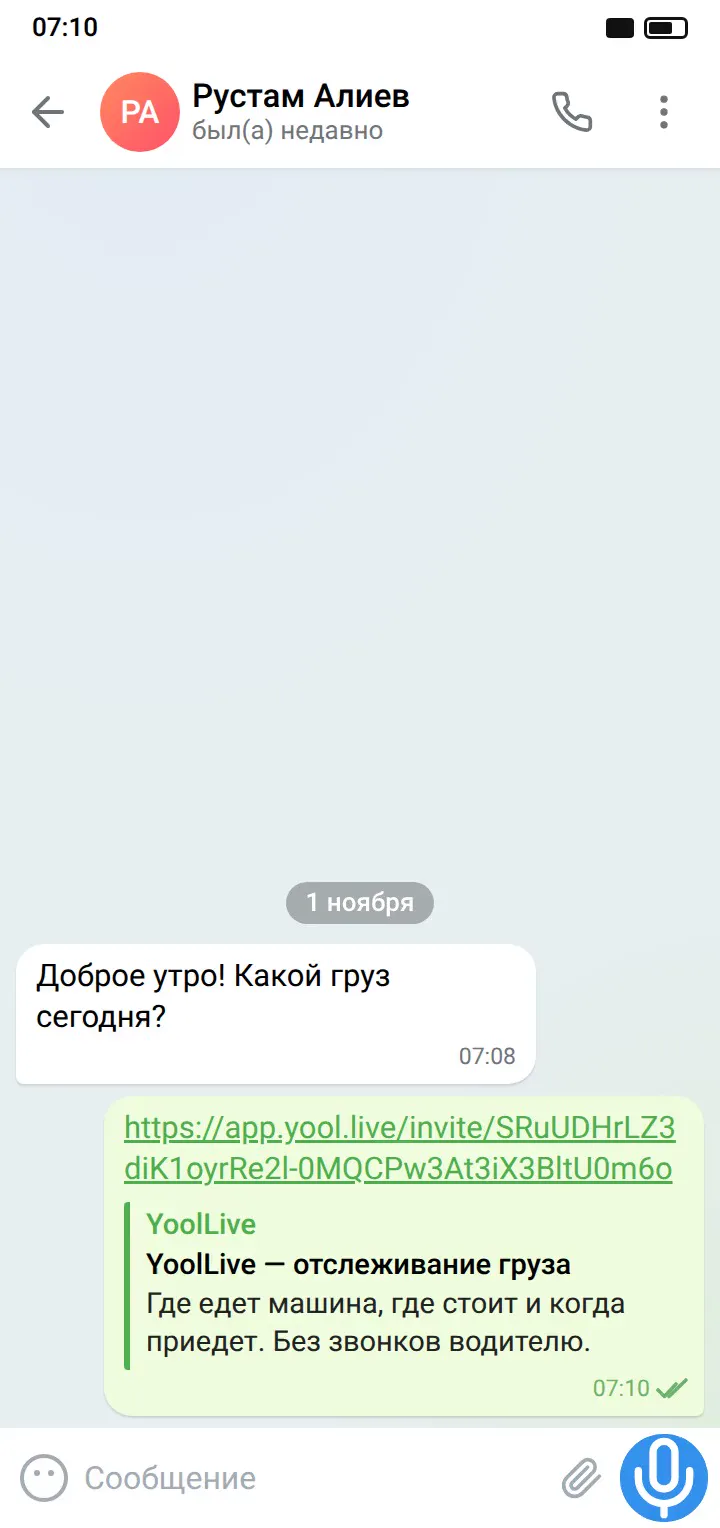
A Telegram message with the load link
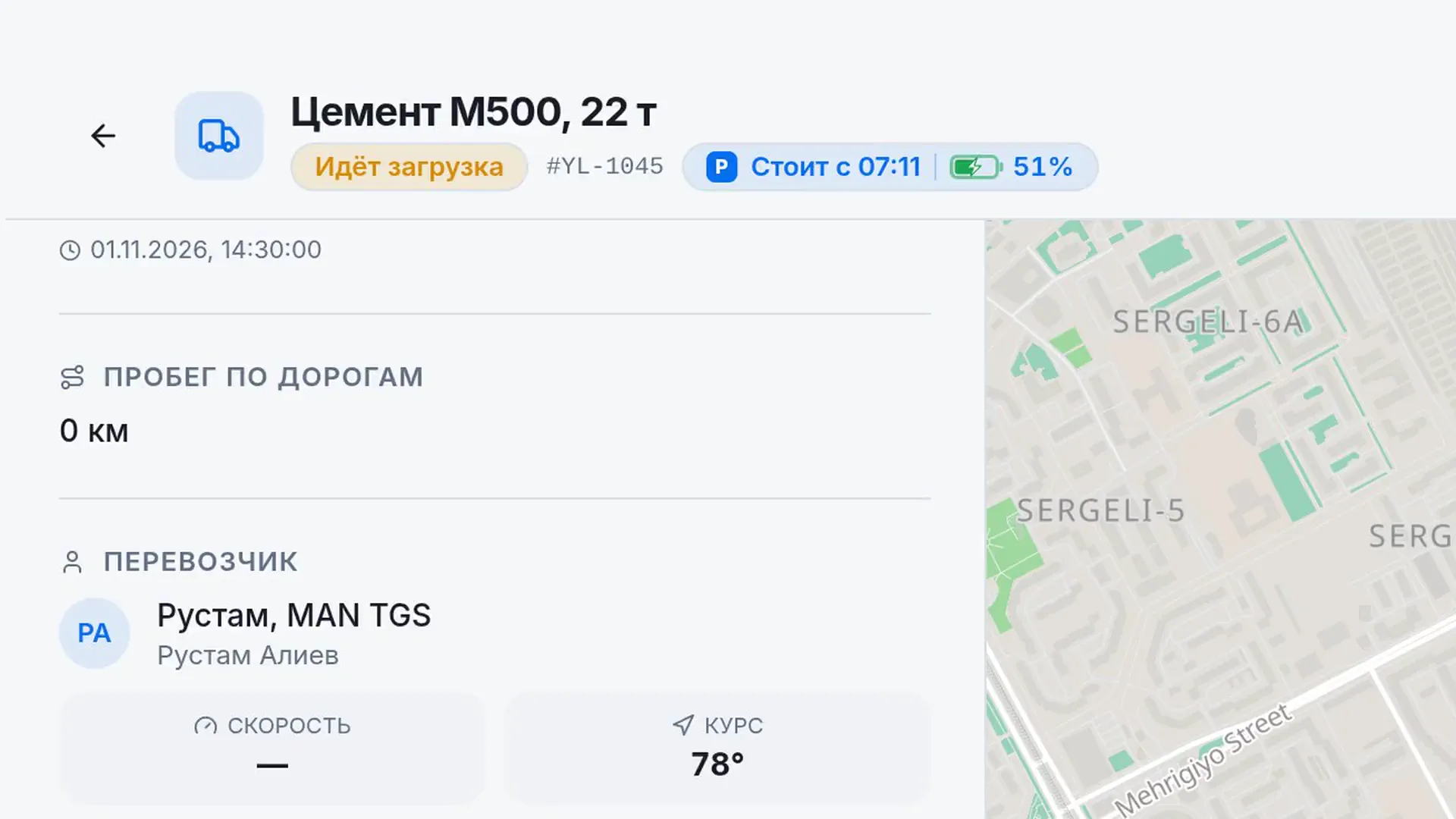
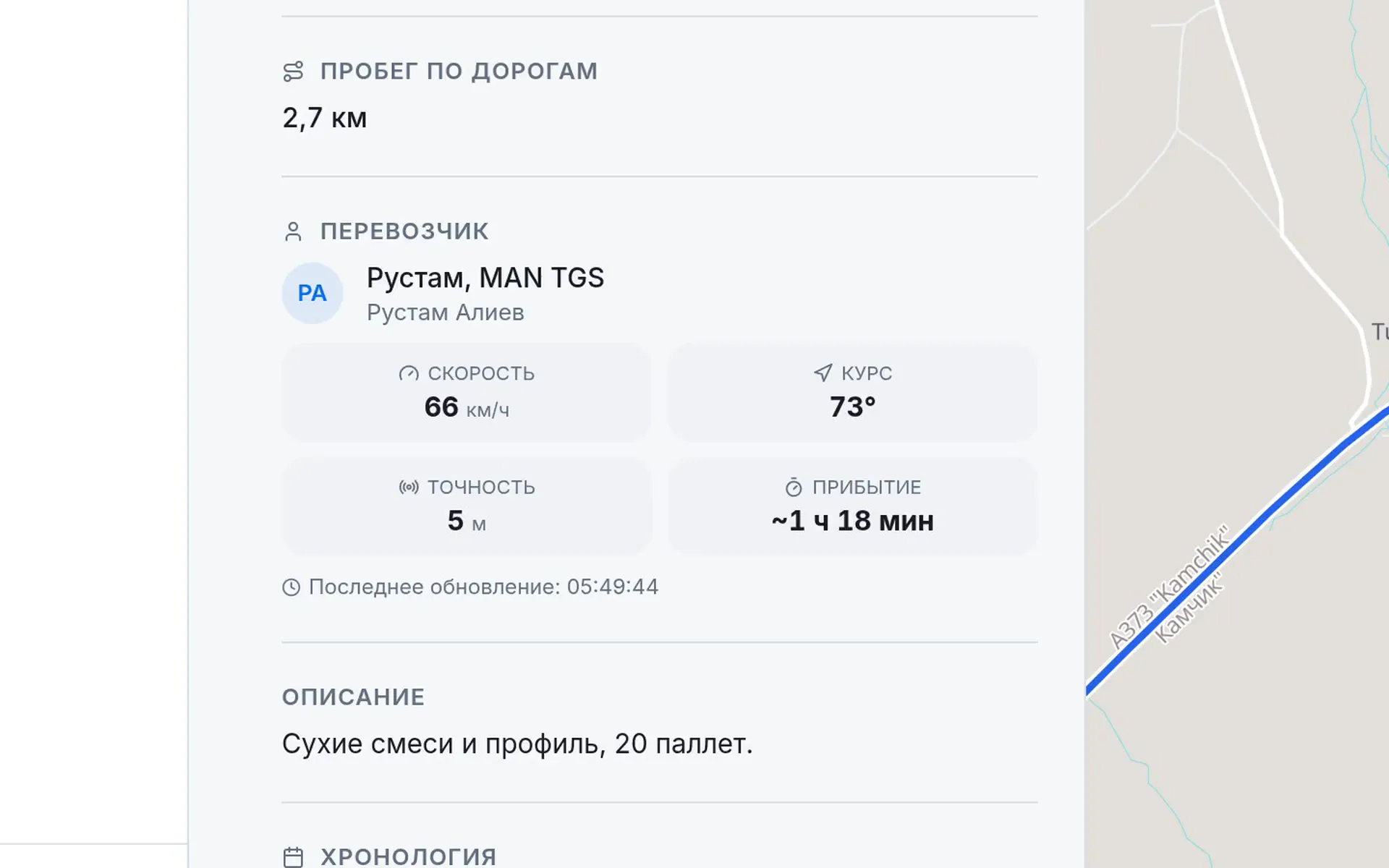
A load in transit: speed, arrival time, the distance covered on the map

What you get

No reason to call

swipe12
  • Tracking even without internet

    No signal on the highway? The phone keeps recording the route and sends it in full as soon as the connection is back.

  • Your client stops calling you

    Send them a link: they see where their cargo is. No sign-up needed.

  • Downtime you can prove

    You see where the driver stopped and for how long: since 12:10, forty minutes. Nothing to argue about.

  • No waybill gets lost

    The driver photographs documents in the app, and the photos land right in the load, not in chats.

  • Answer your client right away

    The dashboard calculates how much of the trip is left, so “when will it arrive?” is no longer a question.

  • Be the first to know

    You get a notification when the driver has loaded and when the cargo is delivered. Even if you’re not in the dashboard.

  • The driver hasn’t vanished. The phone died

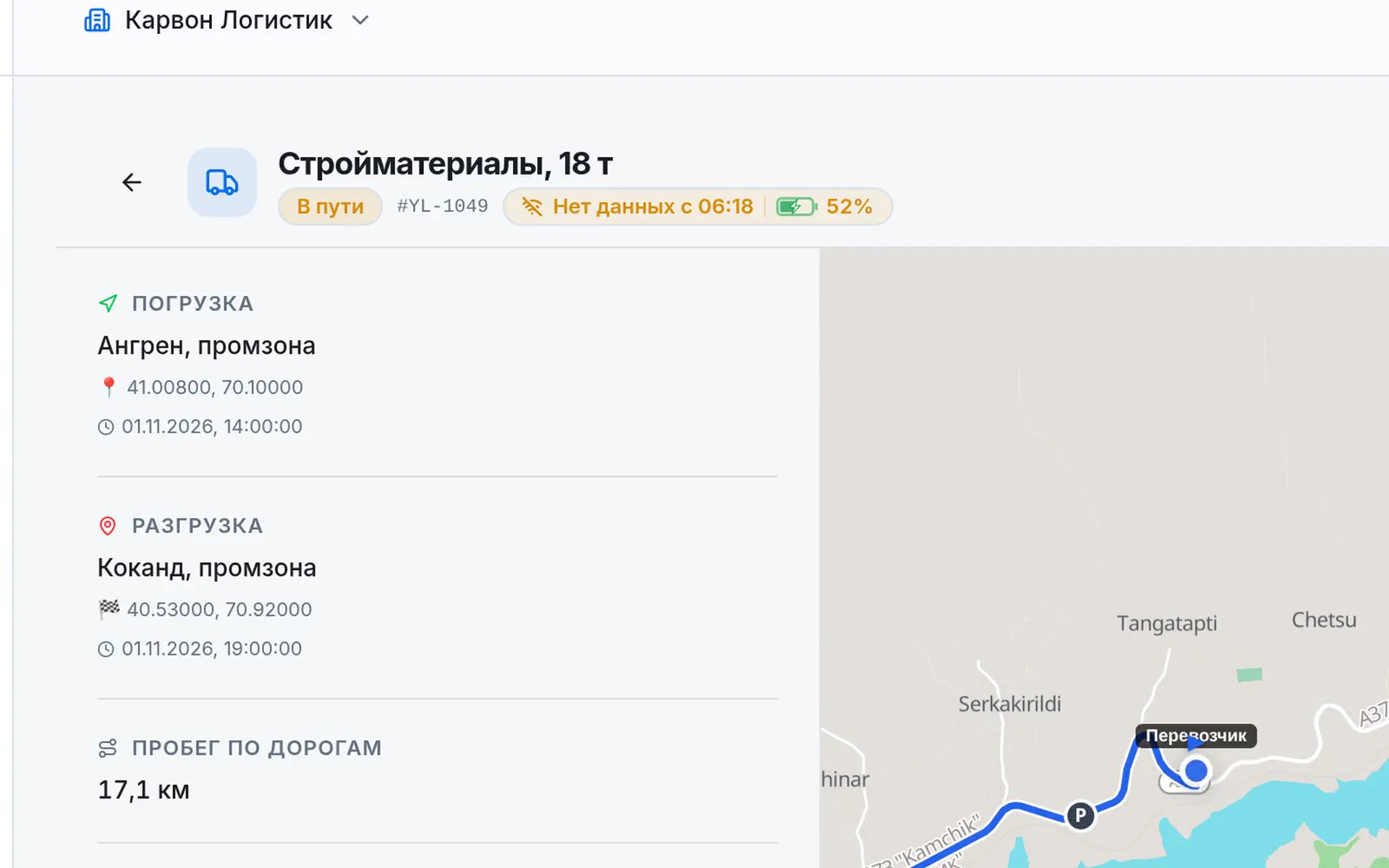
    Battery and connection are visible in the dashboard, so you don’t panic for nothing.

  • An address in one link

    Paste a link from 2GIS, Yandex Maps or Google Maps, and the address and route are found for you.

  • No trackers, no installation

    Works on the driver’s smartphone. Fits hired trucks too, where you can’t put a tracker.

  • We save the driver’s battery

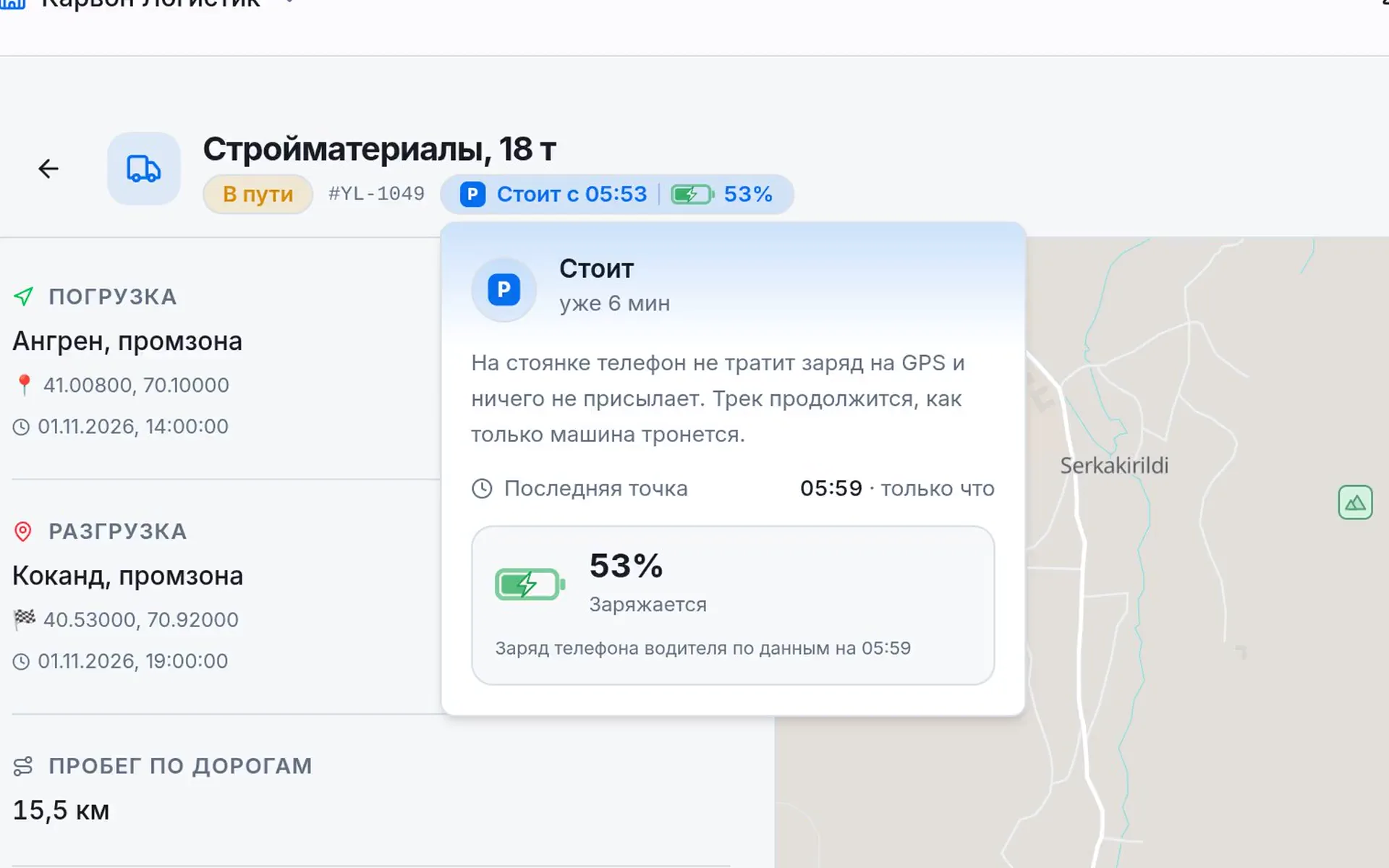
    When the truck is parked, the app turns GPS off on its own, and it records location only during a trip.

  • The whole team sees one picture

    Dispatchers don’t have to ask each other: all trips are in one place.

  • Every trip stays in the history

    All steps, photos and the route are saved. Handy for disputes and reports.

Dashboard: a “No data” badge, the truck frozen; the connection returns and the covered route appears in full
01

Tracking even without internet

On a mountain pass the signal drops, but the driver’s phone keeps recording the route and stores it for up to 14 days. When the network is back, the whole route appears in the dashboard at once.

dashboard — “no data” → the full route
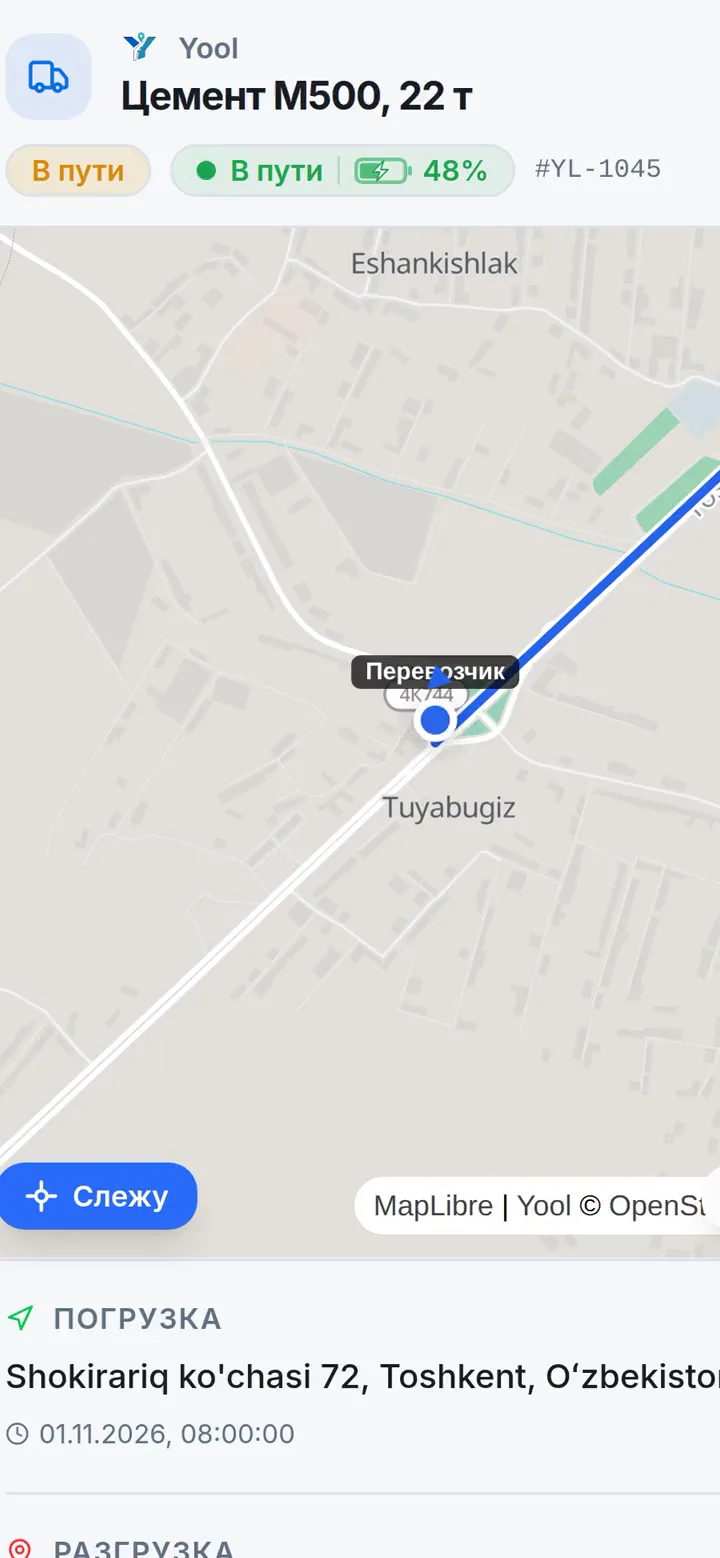
The load page opened from a link on the recipient’s phone: status, battery, the truck on the map
02

Your client stops calling you

Send the recipient a link. They see the cargo on the map and the route covered. No sign-up needed.

link for the recipient — no login
Dashboard: “Stopped since 05:53”, the tooltip shows 6, then 12 minutes
03

Downtime you can prove

When the driver stops, the dashboard shows where and since when. Forty minutes at unloading or three hours: now you see it instead of taking someone’s word for it.

dashboard — “stopped since …”, the minutes tick

For drivers

One button for every step

Accepted the load, loaded, set off, delivered: the driver taps one button and attaches a photo. Works offline, saves battery when parked and tracks location only during a trip.

Get it on Google PlayDownload on the App Store
Driver app: the “Start transit” button, the load moves to “In transit”

Your first load in three minutes. Free.

  1. 01Sign in with Telegram or email
  2. 02Create a load: paste an address link
  3. 03Send the driver a link

Large fleet?

We’ll help you connect your drivers and show you the dashboard on your own routes.

Message us on Telegram

FAQ

What people usually ask

What if the driver loses internet?

Nothing gets lost. The phone stores the route for up to 14 days and sends it as soon as the network is back. While there’s no connection, the dashboard says exactly that, “no data”, instead of showing an old position on the map.

Do I need to install a tracker on the truck?

No. The driver’s Android phone or iPhone is enough.

Does the app drain the battery?

When the truck is parked, the app turns GPS off on its own. Location is recorded only while the driver has an active load, and the dashboard shows their phone’s battery level.

What does the client see from the link?

The load name and status, the truck on the map and the route covered. No sign-up needed.

Does the driver need to sign up?

Yes, in the YoolLive app. It takes a minute: sign in with Telegram, Apple or email. If you sent them a load link, the load is accepted automatically after sign-in.

Didn’t find your answer?

Ask on Telegram

Stop calling the driver.